
Host setup · Guest play
Who Said It?
Turn an approved guestbook note into a guessing game about the person who wrote it.
On this page
Before you start
- An approved guestbook message.
- At least four named album participants so the game can make author choices.
Create the game
- Open Who Said It? in Create a game.
- Select an Approved guestbook quote. The game builds and shuffles the possible authors for you.
- Write the question, set the timer and save the round.
- Review the private answer before making the game ready.
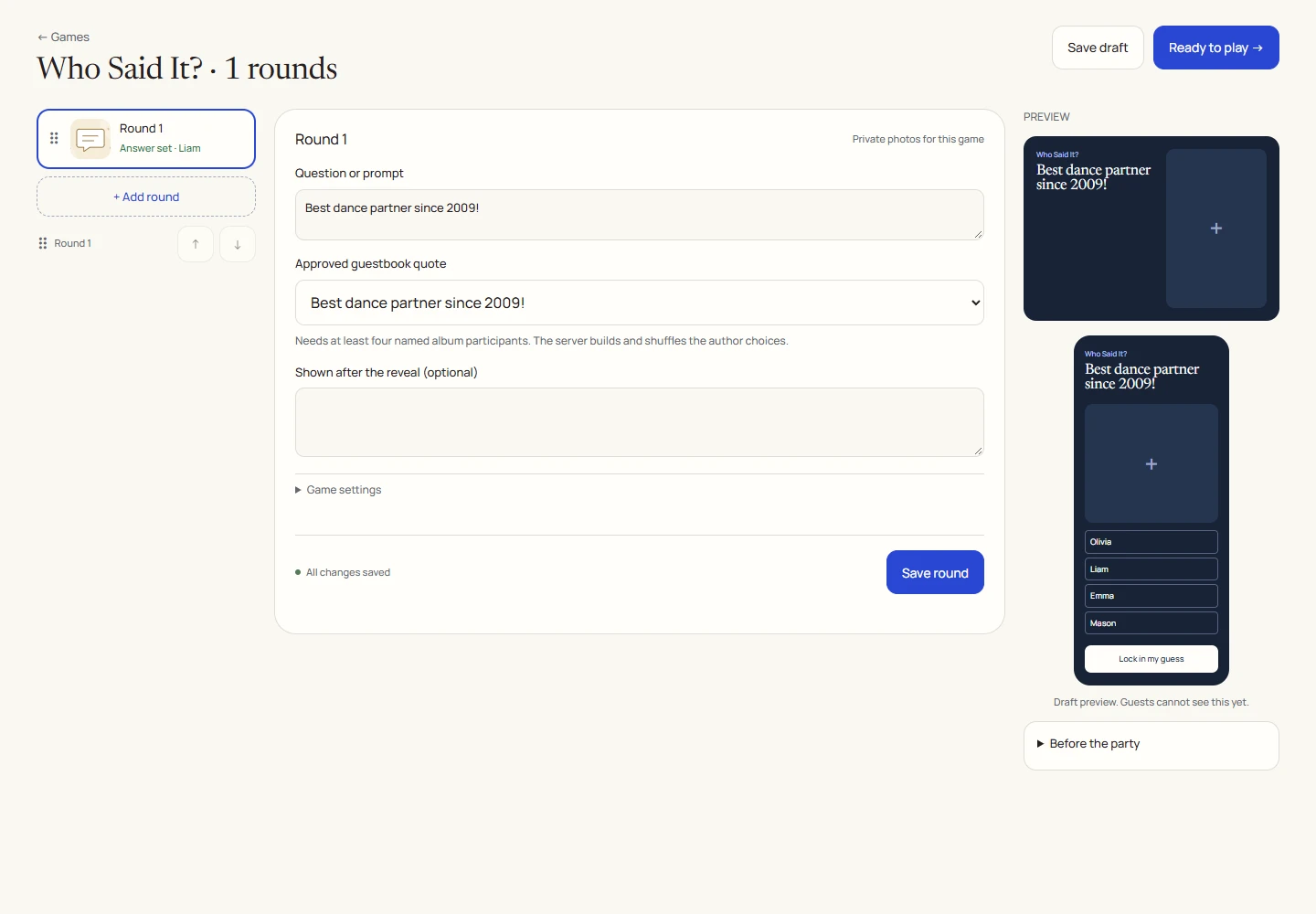
An example round
Play on your phone
- Join the game, read the message preview and look at the possible names.
- Choose who you think wrote it and lock in the answer.
- Wait for reveal to read the full note and discover its author.
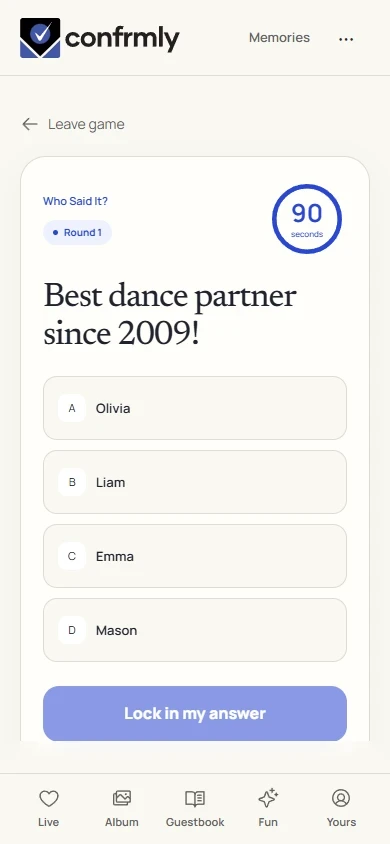
Reveal, scores and results
The correct author earns the guessing guest 100 points.
Before reveal, the question uses a short message preview. The full message and answer are revealed afterward.
The answer comes from the actual author of the selected approved note, not a name typed independently into a quiz.
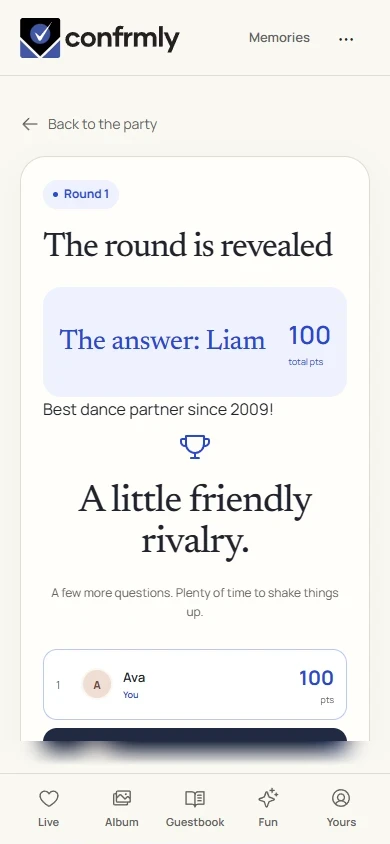
Show it to the room
Open the Event screen from the host workspace and choose Follow the party. The display follows the game’s lobby, active round, reveal and results. Keep the host’s private controls on a separate screen.
Use Reveal answer to show the round outcome, then Show results for the standings. Continue with Next round. Finish game ends a completed game and shows final standings.
If you get stuck
- If no quote is available, collect guestbook notes and approve at least one first.
- If the game cannot create author choices, have at least four people join the album with names.
- Choose notes that make a fun clue without putting private information on the TV.
Screenshots show an example event with fictional names, answers and results. Your event’s content and scores will be different.