
Host setup · Guest play
Caption This
Everyone writes a caption for the same photo, then votes anonymously for the favorite.
On this page
Before you start
- One photo and a prompt.
- Time for two stages: writing captions and voting.
Create the game
- Choose Caption This, add the photo and write the prompt.
- Set an answer time for writing and a voting time for choosing the winner.
- Save the round, check its preview and select Ready to play.
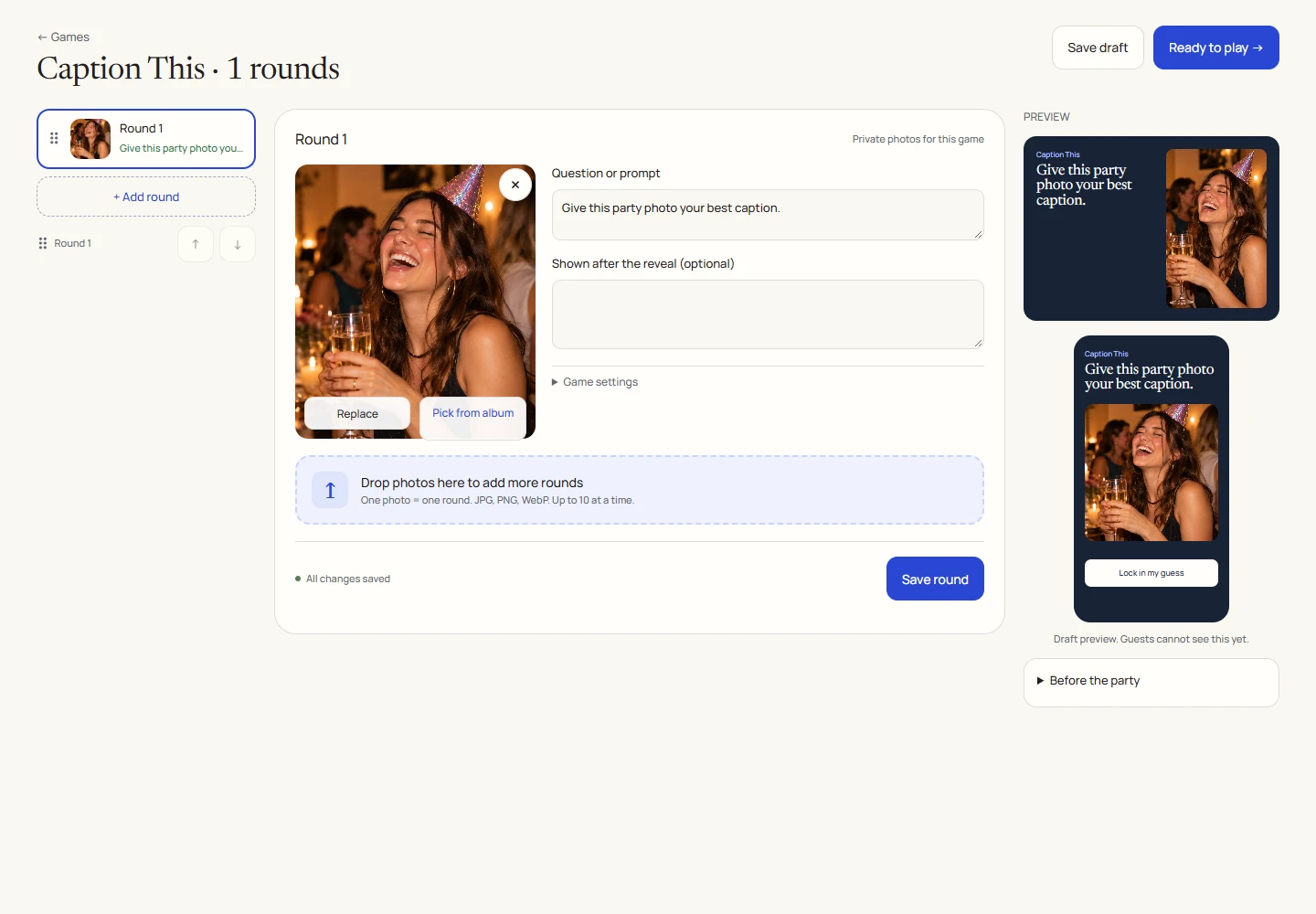
An example round
Play on your phone
- Join and write one caption of up to 80 characters. Submit it before the writing timer ends.
- When voting opens, read the anonymous captions and choose a favorite.
- You cannot vote for your own caption. One accepted caption vote is allowed.

Run it as the host
- While submissions are open, review captions and hide any entry you do not want included before voting starts.
- Select Close submissions & open voting when the room is ready, or let the deadline move the phase forward.
- Approve a caption for the Event screen if you want it displayed there. TV approval is separate from eligibility in the game ballot.
How voting works
- Captions appear without their authors’ names during voting.
- Hidden captions and your own caption are not valid voting targets.
- Reveal settles the result. Select Show results to show the updated standings.

Reveal, scores and results
The winning caption earns its author 100 points.
A vote tie is resolved by the earliest accepted submission, then a stable internal ordering. With no votes, there is no vote-selected winner.
The guest outcome view shows the revealed round and scores. The TV’s caption view shows eligible approved captions; it does not expose a private host review queue.
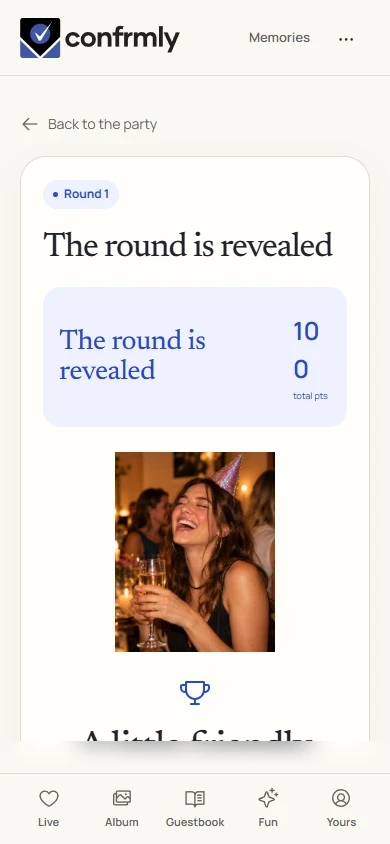
Show it to the room
Open the Event screen from the host workspace and choose Follow the party. The display follows the game’s lobby, active round, reveal and results. Keep the host’s private controls on a separate screen.
Use Reveal answer to show the round outcome, then Show results for the standings. Continue with Next round. Finish game ends a completed game and shows final standings.
If you get stuck
- If you cannot vote for an entry, check whether it is your own or was hidden before voting.
- Writing and voting are separate timers. Joining late does not reopen the writing stage.
- A caption may be eligible for the phone ballot while still awaiting separate Event screen approval.
Screenshots show an example event with fictional names, answers and results. Your event’s content and scores will be different.