
Host setup · Guest play
Two Truths & a Lie
Write three statements about someone and challenge the room to spot the made-up one.
On this page
Before you start
- Exactly three statements: two true and one false.
- The host must know which statement is the lie.
Create the game
- Choose Two Truths & a Lie.
- Write the question and exactly three statements.
- Select the false statement under Which statement is the lie? Set the answer time and save.
- Check the personal facts with the featured person before making the game ready.
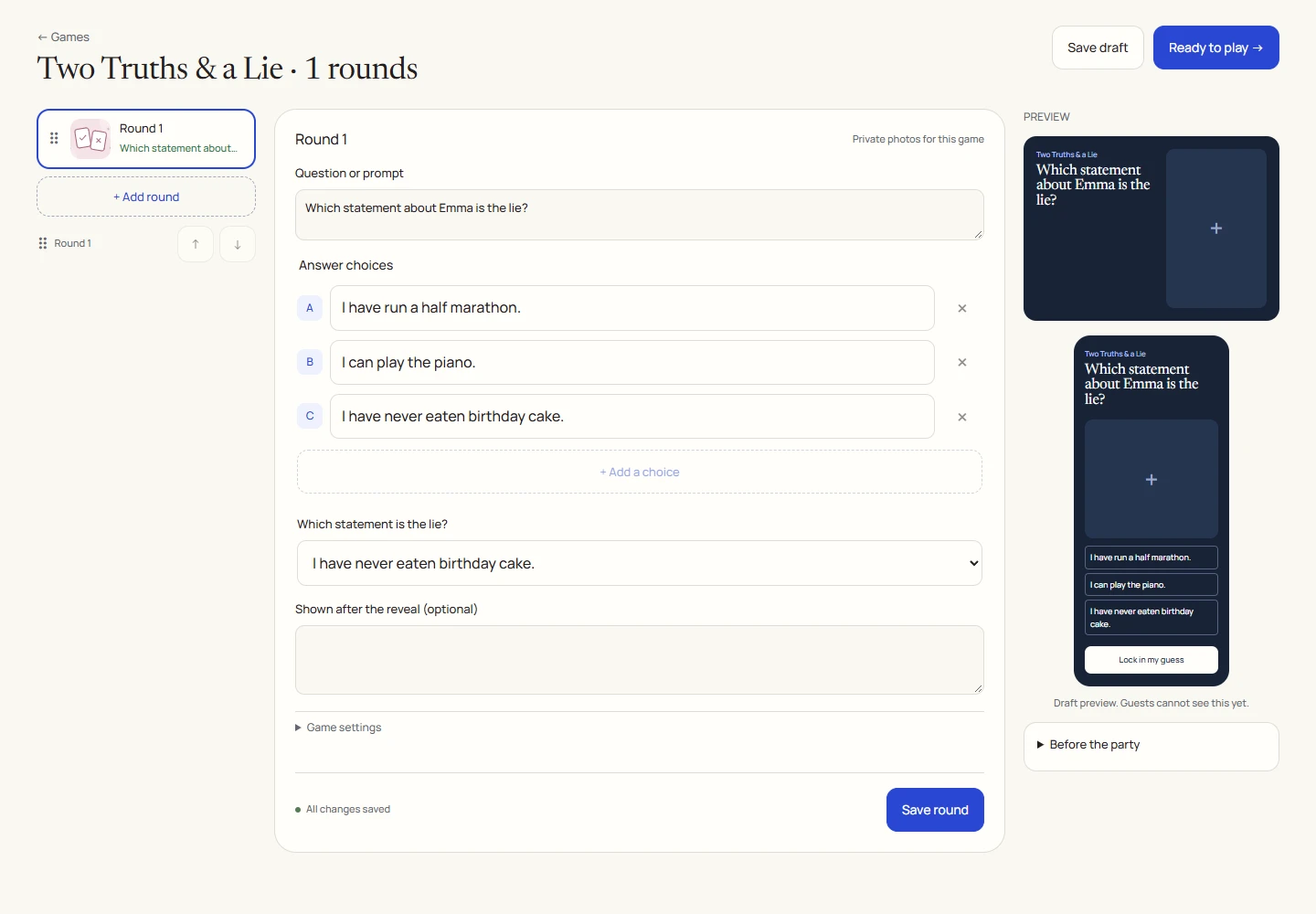
An example round
Play on your phone
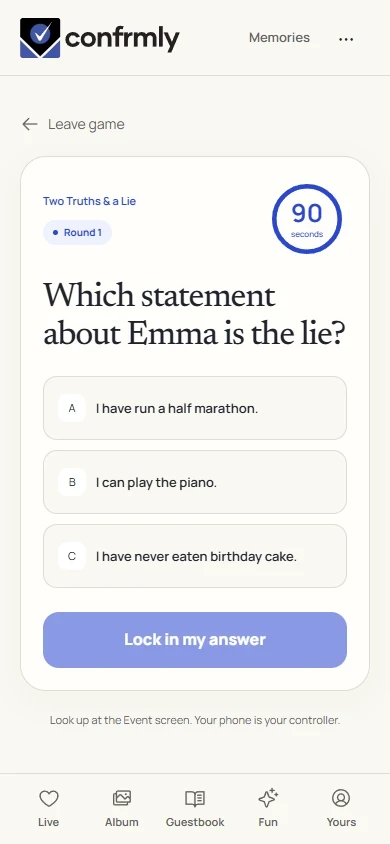
- Join the game and read all three statements.
- Tap the statement you think is false and lock in the answer.
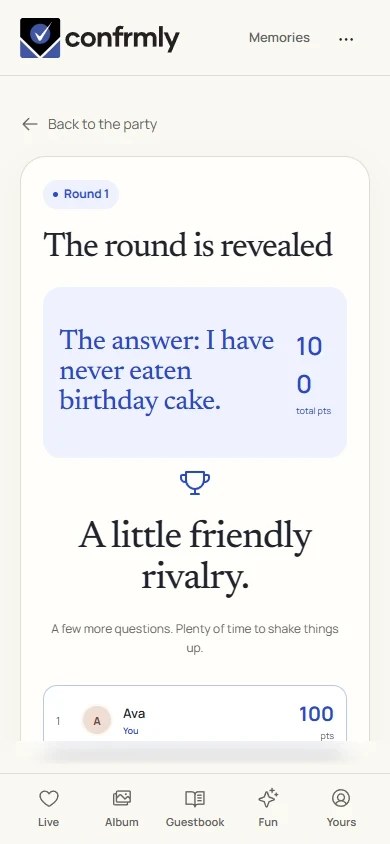
- At reveal, the host’s selected lie is shown.
Reveal, scores and results
Correctly identifying the lie earns 100 points.
The answer key points to the lie, even though the other two statements are true. More than one guest can earn full points.
Use Show results after reveal to see the updated standings.
Show it to the room
Open the Event screen from the host workspace and choose Follow the party. The display follows the game’s lobby, active round, reveal and results. Keep the host’s private controls on a separate screen.
Use Reveal answer to show the round outcome, then Show results for the standings. Continue with Next round. Finish game ends a completed game and shows final standings.
If you get stuck
- There must be exactly three statements and one selected lie.
- The host supplies the personal facts. The game does not verify whether a statement is true.
- If guests are confused, make the prompt explicit: Which statement is the lie?
Screenshots show an example event with fictional names, answers and results. Your event’s content and scores will be different.