
Host setup · Guest play
Quiz
Write a multiple-choice question, let everyone answer on their phone and reveal the correct choice together.
On this page
Before you start
- A question with 2 to 8 answer choices.
- The correct answer for every round. Personal questions need answers supplied by the host.
Create the game
- Open Games and select Create a game, then Quiz. You can also use Build a game to start with a name.
- Write the question, enter each answer choice and select the correct answer. Remove unused choices rather than leaving them blank.
- Choose an answer time, save the round and add any further rounds. Set the lobby time, then select Ready to play.
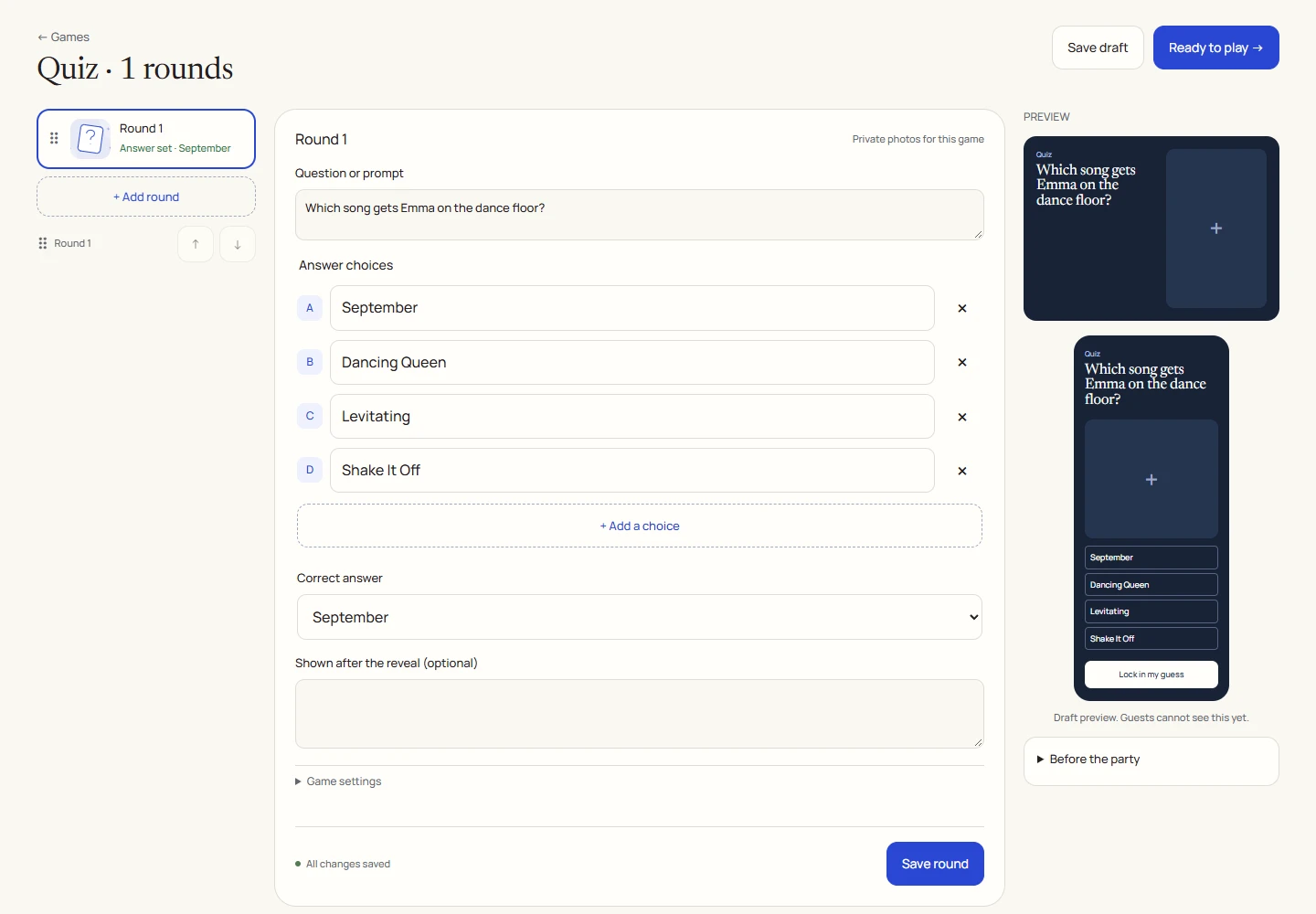
An example round
Play on your phone
- Open the announced game, accept the participation checkbox and select Join the round.
- Read the question and tap one choice. Select Lock in my answer before the timer ends.
- Wait for the host or the deadline to move the game forward. After your answer is accepted, it cannot be changed.
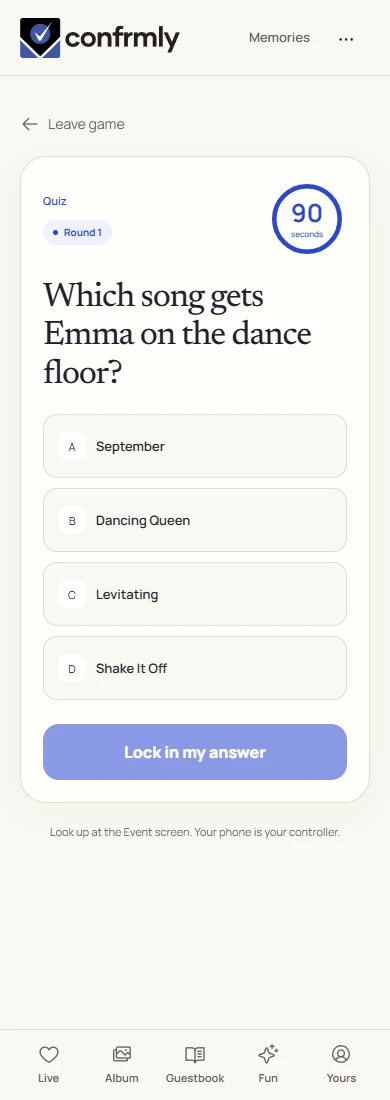
Reveal, scores and results
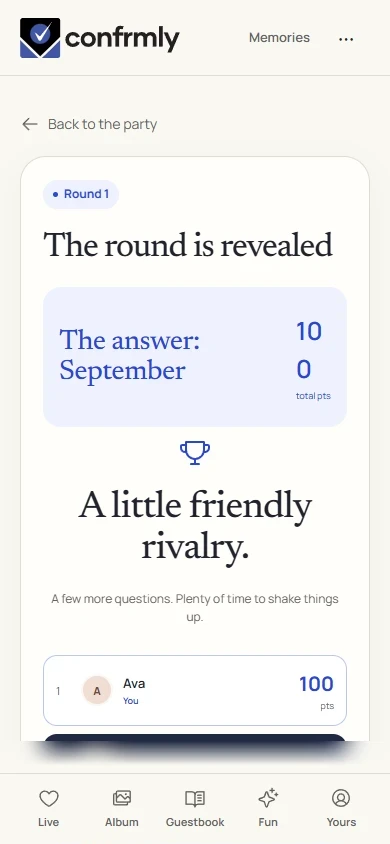
A correct answer earns 100 points. An incorrect or missing answer earns 0.
There is no speed bonus: answer within the timer, but answering first does not add points.
Reveal shows the correct choice. Show results displays cumulative scores from revealed rounds. The final standings appear after the host finishes the game.
Show it to the room
Open the Event screen from the host workspace and choose Follow the party. The display follows the game’s lobby, active round, reveal and results. Keep the host’s private controls on a separate screen.
Use Reveal answer to show the round outcome, then Show results for the standings. Continue with Next round. Finish game ends a completed game and shows final standings.
If you get stuck
- If Ready to play fails, check every question for empty choices and a selected correct answer.
- A saved draft is private preparation. Select Announce game to invite guests, then Unlock first round to begin.
- A guest who sees the lobby after joining should wait for the host to open the first question.
Screenshots show an example event with fictional names, answers and results. Your event’s content and scores will be different.