
Host setup · Guest play
Photo Battle
Let approved event photos go head-to-head until one photo wins the bracket.
On this page
Before you start
- At least two approved album photos.
- A question or theme for the battle, such as Photo of the night.
Create the game
- Choose Photo Battle and write the theme.
- Select the approved album photos you want to enter. If you use the random selection option, check that the album has enough approved photos.
- Choose the voting time, save the round and select Ready to play.
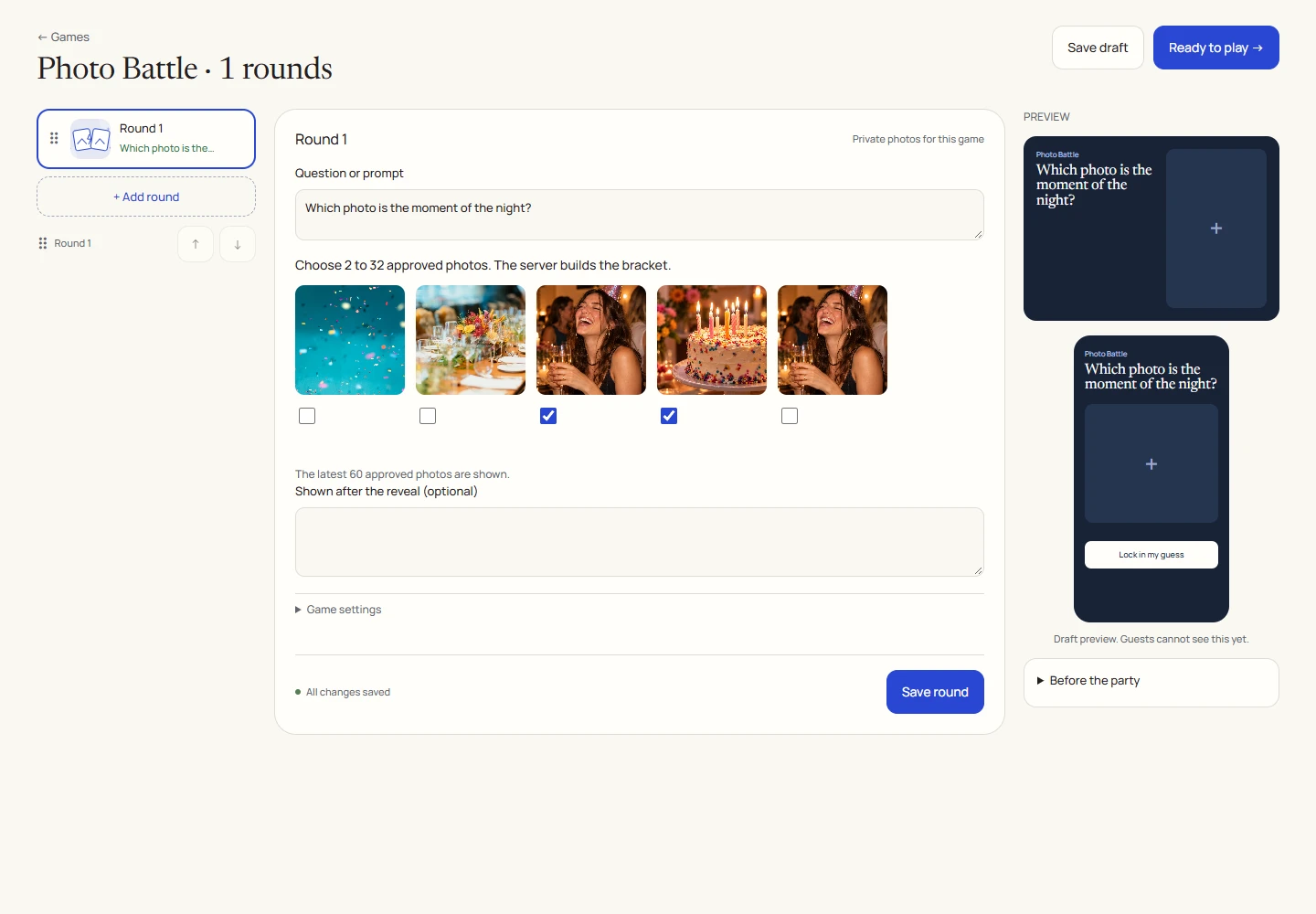
An example round
Play on your phone
- Join the game and look at the current pair of photos.
- Tap one photo to vote. That vote belongs to this matchup.
- Wait for the next matchup, then vote again when a new pair opens.
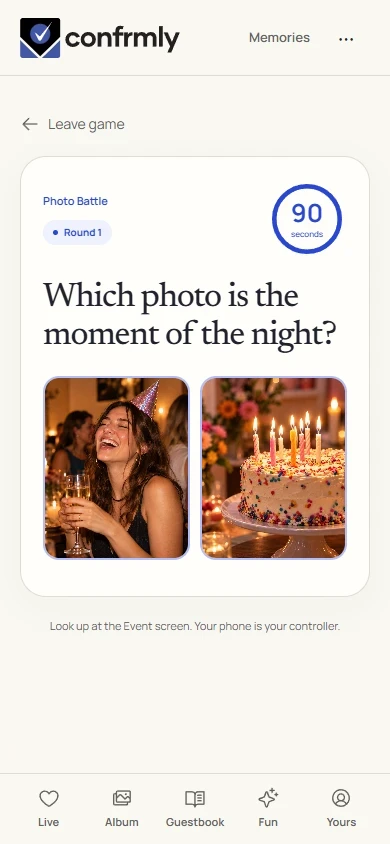
Run it as the host
- Reveal settles the current matchup. For a larger bracket, continue to the next matchup using the live controls.
- Follow the bracket through to its final winner before finishing the round. A first-match win is not automatically the whole-game result.
Reveal, scores and results
The final winning photo earns 100 points for its eligible participating author.
A tied matchup uses the photos’ original submission order, then a stable internal ordering.
Votes are scoped to the current matchup. A vote for an earlier pair is not a vote in the next one.
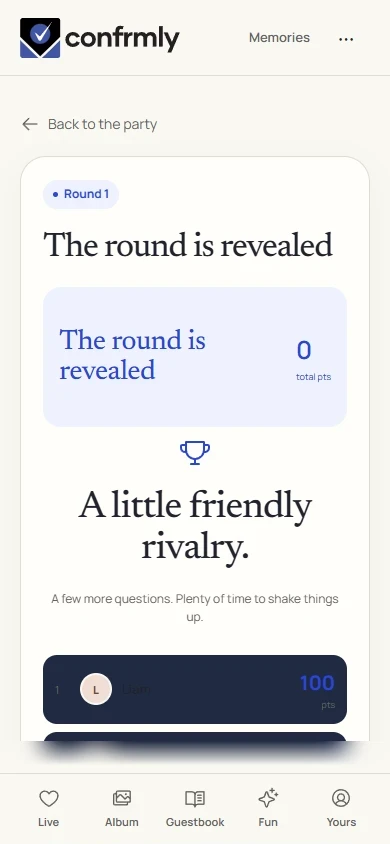
Show it to the room
Open the Event screen from the host workspace and choose Follow the party. The display follows the game’s lobby, active round, reveal and results. Keep the host’s private controls on a separate screen.
Use Reveal answer to show the round outcome, then Show results for the standings. Continue with Next round. Finish game ends a completed game and shows final standings.
If you get stuck
- Pending or hidden album photos cannot be used as approved battle sources.
- If a source becomes unavailable, review the game before announcing it.
- If a guest sees a new pair, they should vote on that pair rather than resubmit their previous vote.
Screenshots show an example event with fictional names, answers and results. Your event’s content and scores will be different.