Custom Wedding Invitations by Kindly RSVP Designs
Discover custom wedding stationery by Baltimore designer Rachel Zemel, plus a simple way to add QR code and online RSVP tracking.
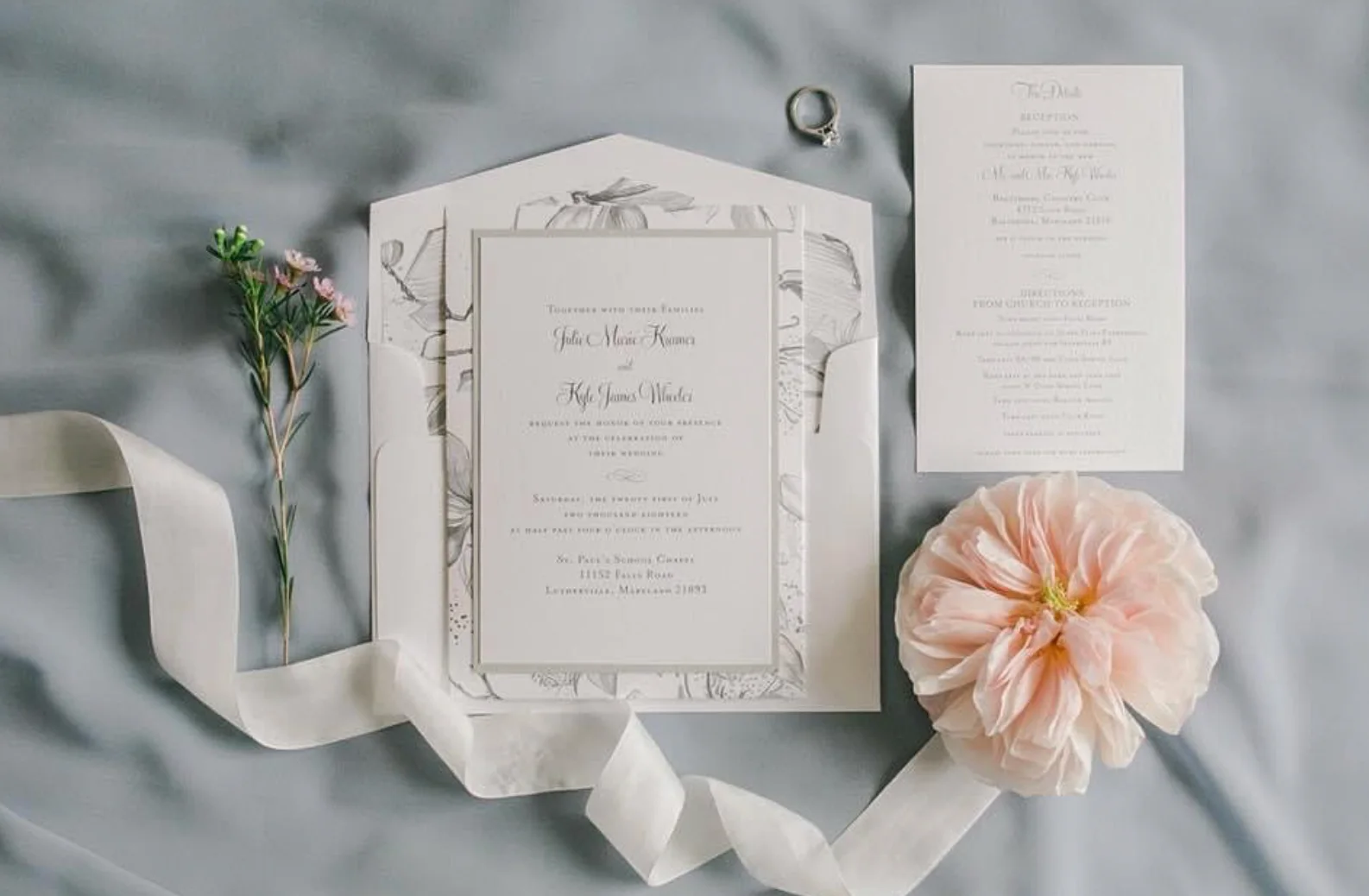
Partner spotlight: Kindly R.S.V.P. Designs is a Baltimore-based invitation and stationery studio led by owner and graphic designer Rachel Zemel. Rachel creates original, personal designs for weddings and other special occasions, with each suite shaped around the event, colors and style of the client.
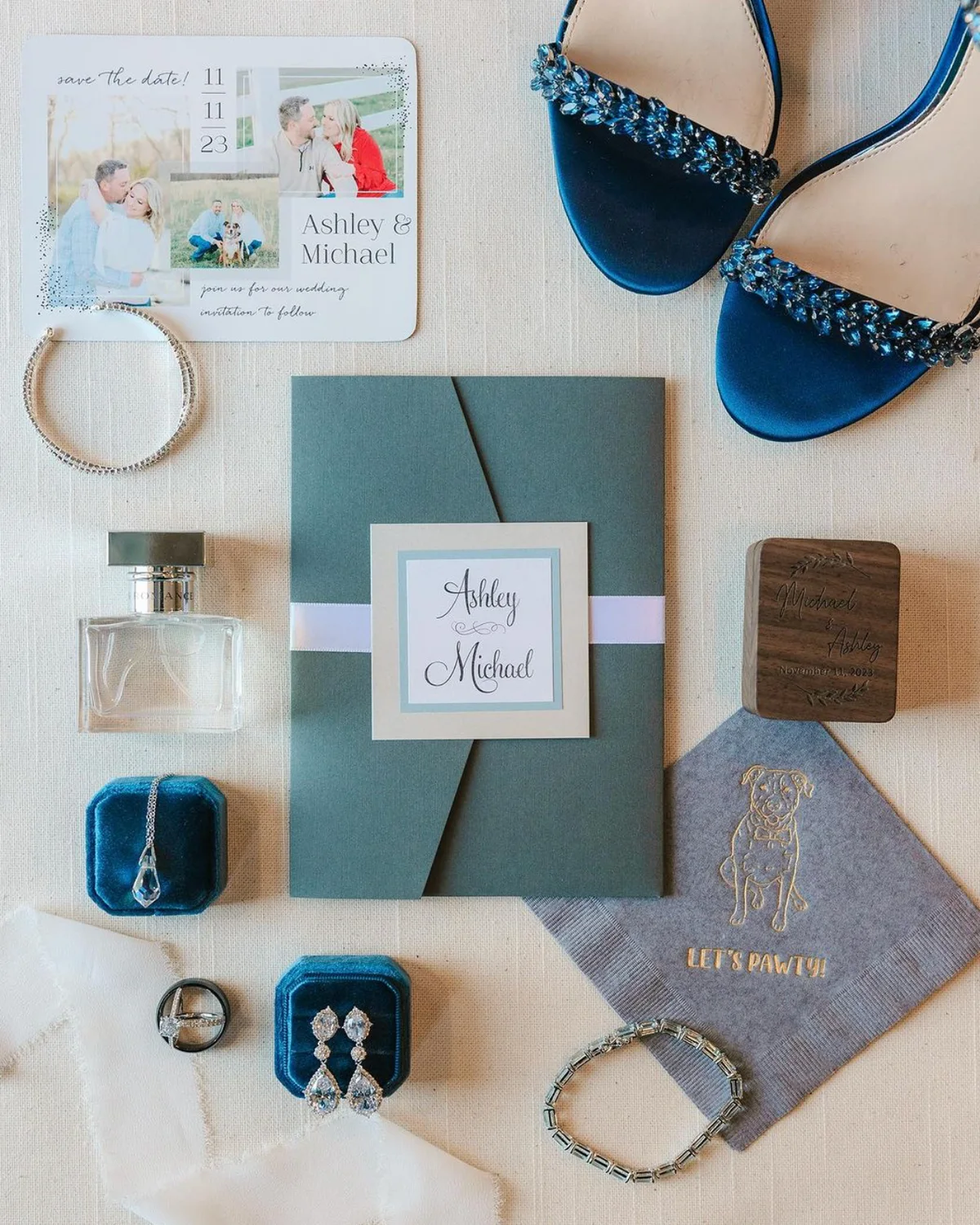
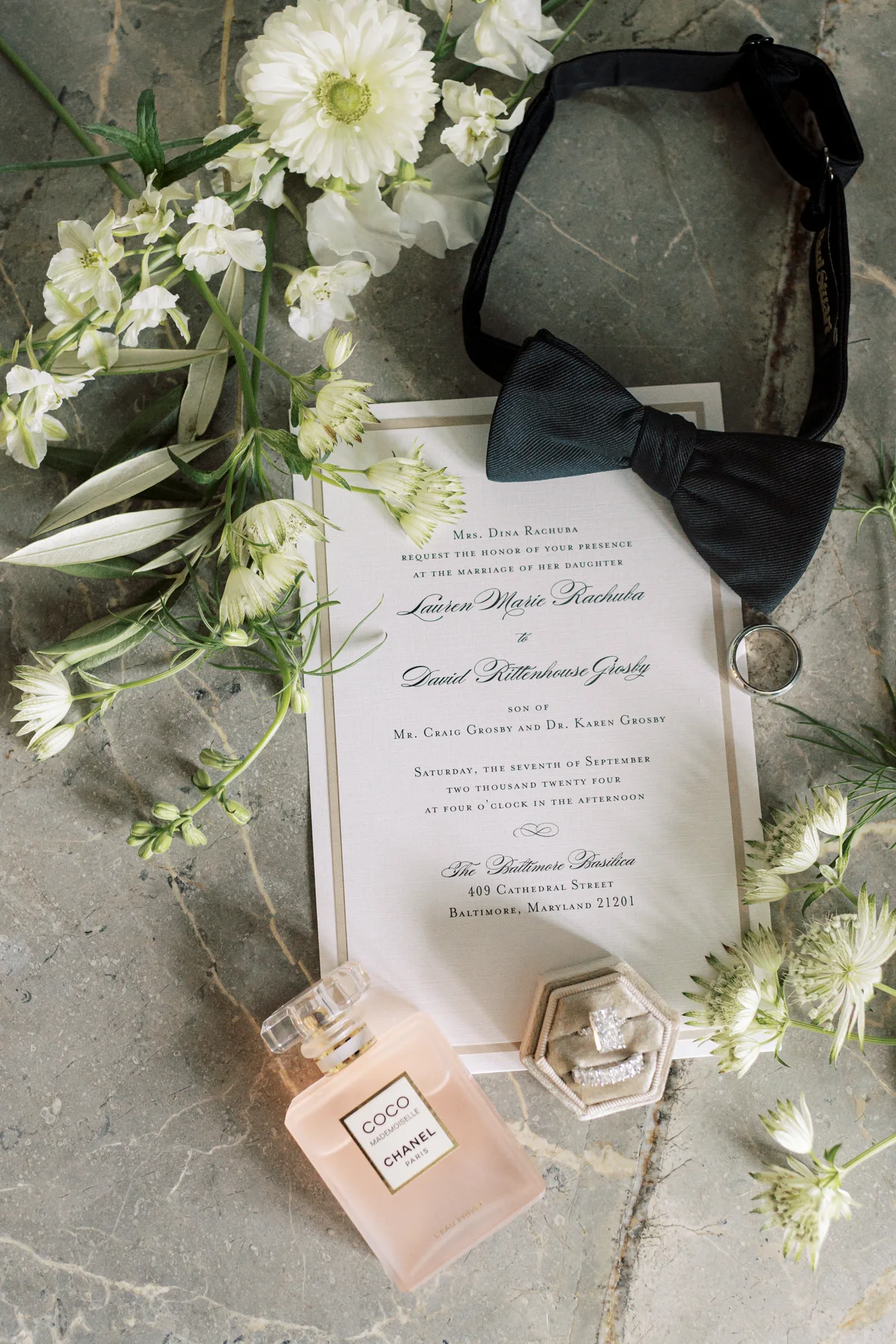
Rachel shared several recent invitation photographs with Confrmly. They show how custom stationery can set the tone before guests arrive, from a soft, botanical pocket suite to a bold blue presentation with matching save-the-date details.
Invitation design that sets the tone
A custom wedding invitation is more than a place to print a date and address. Paper, typography, color, structure and small finishing details work together to give guests their first impression of the celebration.
The process described by Kindly R.S.V.P. Designs begins with a conversation about the event style, design and colors. After the quote and approval, clients review digital proofs before printing and production begin. The completed pieces can then be assembled and prepared for mailing.
Keep the paper experience and add a simple online RSVP
Couples do not have to choose between beautiful printed stationery and convenient online responses. A small QR code or short RSVP link can add a digital response path while the invitation remains the focus.
- Create the event: The host creates a free event on Confrmly and receives a private RSVP page to share with guests.
- Download the QR code: Confrmly generates a QR code connected to that event page.
- Add it to the invitation suite: The designer can place the code on a details card, on the back of the invitation or on a separate RSVP insert. Always print one test copy and scan it from a normal reading distance before approving the full run.
- Use the same link digitally: The RSVP URL can also be made clickable in a PDF, email invitation or online invitation, including a Canva Website invitation.
When guests open the link, they can respond without creating an account. The host sees responses, plus-ones, dietary notes and other guest details in one dashboard instead of collecting replies across texts, email and paper cards.
Why this combination works for stationery clients
- The printed design keeps its premium, personal feel.
- Guests can respond in seconds from a phone.
- The QR code and clickable link lead to the same guest experience.
- The host can track answers in one clear list and export the guest data when needed.
- The invitation designer can offer a useful digital option without building or maintaining a full wedding website.
About Kindly RSVP Designs
Kindly R.S.V.P. Designs creates custom invitations for weddings, save the dates, bridal showers, baby showers, mitzvahs and other celebrations. The studio also offers coordinated event pieces such as programs, menus, table numbers, seating cards and thank-you notes.
To explore Rachel Zemel's work or discuss a custom stationery project, visit Kindly R.S.V.P. Designs or follow @kindlyrsvpdesigns on Instagram.
All invitation photographs in this article were provided by Rachel Zemel and are published with permission. Invitation designs are credited to Kindly R.S.V.P. Designs.
Ready to send invites?
Create your event on Confrmly
Set up your RSVP page, share the link with guests, and keep their responses in one place.
Get Started Free