What are the best online RSVP tools for a wedding?
Compare wedding RSVP tools by setup, guest replies, plus-ones and exports. Choose a standalone form or a wedding website, then follow practical setup steps.
The best online wedding RSVP tool depends on whether you need a response form or a full wedding website. Confrmly fits couples who want free online RSVP tracking and a link or QR code alongside their existing invitations. Joy and Zola are worth considering when your guest list belongs inside a wedding website. RSVPify is another option for configurable forms and website embeds. These are use-case recommendations, not a tested ranking.
Create a shareable RSVP link or QR code for your wedding, baby shower or birthday. Guests reply through a short form; no account, no ads, no cost.
Start with the information you need from guests, then choose the smallest setup that collects it. Our wedding RSVP tracker describes the standalone approach: keep your chosen invitation and collect replies separately.
Key Takeaways
- Choose a standalone RSVP form if you do not need a full wedding website.
- Consider Joy or Zola if you want guest responses alongside other wedding information.
- Compare household replies, plus-one rules, meal questions and export options before committing.
- Test your link or printed QR code before sending invitations.
Compare the tools by what you need
There is no single best tool for every wedding. This comparison focuses on documented guest-list and response features, rather than assigning unsupported ratings for ease of use or reliability.
| Tool | A useful fit when you want | What to check before choosing |
|---|---|---|
| Confrmly | Free wedding RSVP tracking with a link or QR code, without building a wedding website | Host setup, visible plus-one and dietary fields, and the guest-list export |
| Joy | Household replies and multiple wedding events within a wedding planning setup | Which guests can reply for a household and attend each event |
| Zola | RSVP tracking and meal choices alongside a wedding website and guest list | Event settings and the desktop export workflow |
| RSVPify | Configurable response forms or an RSVP form on an existing website | Current plan limits and which form features your selected plan includes |
Editorial ownership: Confrmly publishes this guide and operates the standalone RSVP service compared here. Competitor information comes from official product documentation reviewed on October 14, 2026. This is not an independent hands-on benchmark, security audit or exhaustive list of wedding tools.
Confrmly is operated by Artwork Lab LLC. The publisher is responsible for this guide's product descriptions; the visible About and Contact links below identify the business and provide a route for corrections. Features should be checked again before choosing a service because vendor settings and plans can change.
Match the setup to your wedding
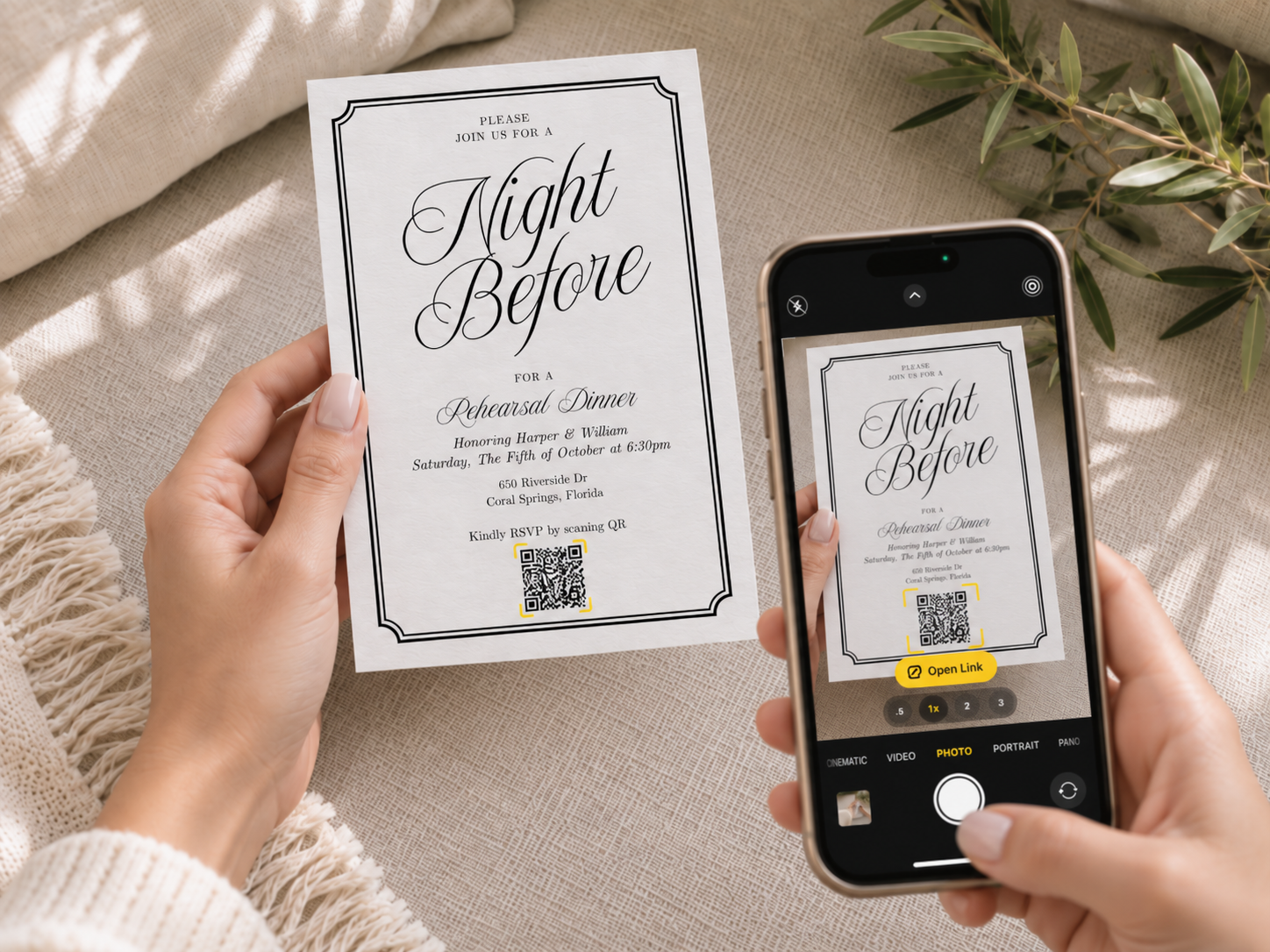
A standalone form is a practical choice when your invitation design is already settled. You can add an RSVP link to a digital invitation or place a QR code on a printed card. The design and response collection do not have to come from the same service.
A wedding website is useful when guests also need travel details, an itinerary or other wedding information in one place. Joy documents household responses, assigned plus-ones and multiple-event tracking in its guest-list tools. Its question settings include text and multiple-choice questions.
Zola's guest-list manager tracks RSVPs, plus-ones and meal choices. Its export instructions describe downloading guest data, including meal choices, through the desktop website rather than the app.
If you already maintain a website, RSVPify's documented form and embed options are worth comparing. Do not assume every feature is included in a free plan. Check the current plan that covers your actual guest count and form requirements.
Check the guest experience before sending
Ask the same practical questions of every tool. Can guests reply without an account? Can a household respond together? How do you restrict or collect plus-ones? Can you distinguish a meal selection from a dietary note? Can you export the details your venue needs?
Then open the guest-facing form on a phone. A feature list does not show whether your wording is clear or whether a QR code remains readable after printing. Check the actual invitation, link and response form together. If you accept replies by phone as well, decide who will enter them into the same guest list so your final count stays consistent.
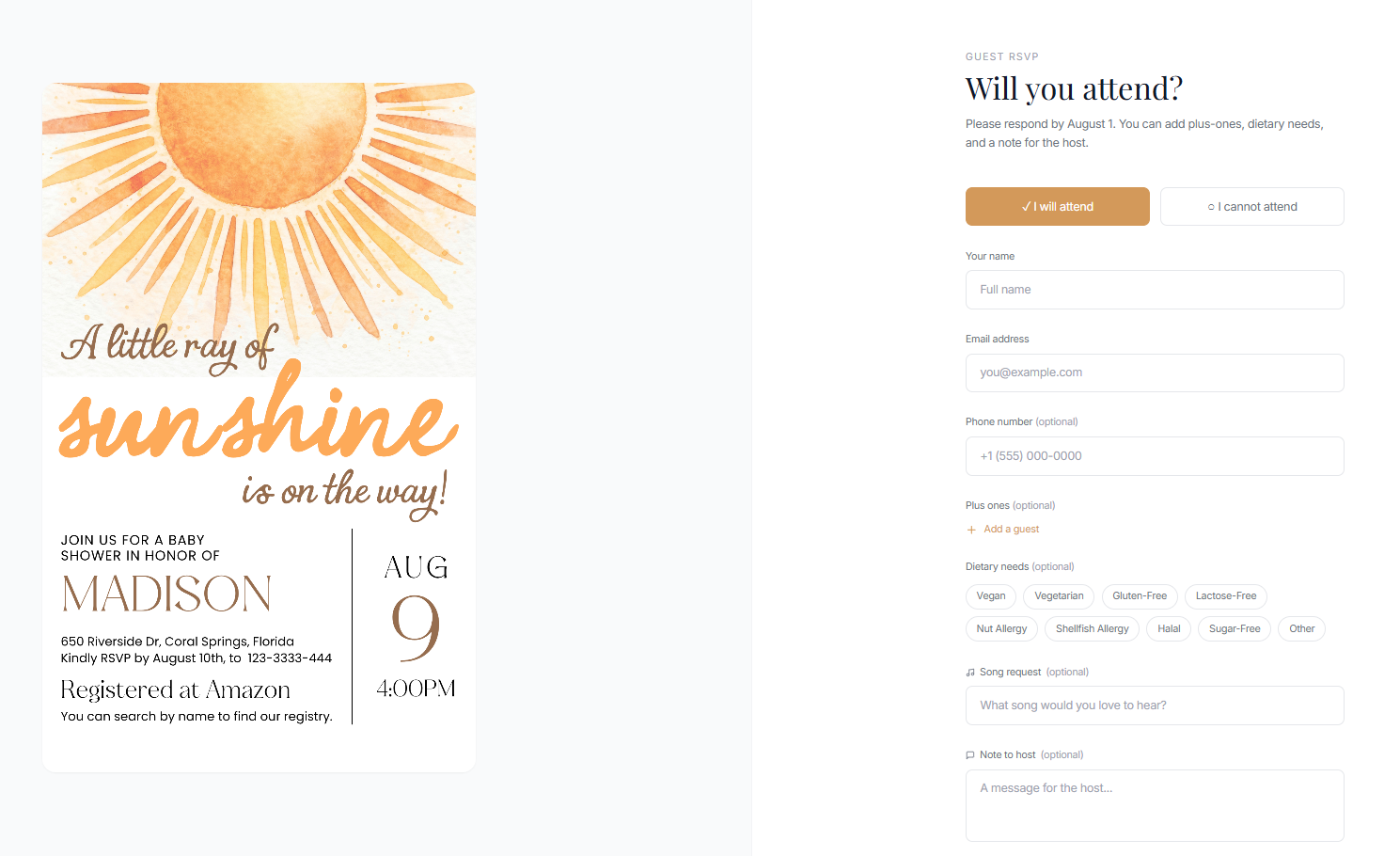
The guest reply demo shows the public form without requiring a guest account. A normal reply requires a name, email and attendance choice, followed by submission. Hosts have a separate account to manage the event.
Steps
The following steps describe Confrmly's standalone RSVP workflow, not a shared setup process for all four tools.
- Create a host account with your email and a password. Enter the wedding name, date and location; add a time and RSVP deadline if needed. In the event dashboard, choose whether to show plus-one and dietary fields and add optional questions. These settings let you collect the details needed for your particular celebration.
- Keep the invitations you love and add a QR code that opens your RSVP form. Guests can reply without creating an account. Track responses, plus-ones, and dietary requests in one guest list, then export it when you are ready to plan the final details.
- Before distributing the invitation, check the guest link on a phone and scan the QR code from the finished design. Confirm that the event details and requested fields match what you intend to collect.
Frequently asked questions
Do wedding guests need an account to RSVP?
Guests do not need an account for Confrmly's public RSVP form. The host has a separate account to create and manage the event. See the RSVP FAQ for guest and host details.
Can I keep a Canva or printed invitation?
Yes. Keep the invitation design and add your RSVP link or QR code. For a Canva design, place the link or QR artwork in the invitation before exporting it. A link on an existing website can also point to the RSVP form; that is different from embedding the complete form.
Can I collect dietary requests and plus-ones?
Yes, Confrmly's host dashboard lets you show dietary and plus-one fields. Before inviting guests, decide what information you need and check how the chosen tool represents accompanying guests and meal details.
Is a free RSVP tool enough for a wedding?
It can be, if it includes the fields and export you need. Free RSVP service and free invitation options are available here. For any tool, verify the current plan against your guest count, questions and event setup rather than assuming that "free" describes every option.
Should I choose a wedding website or just an RSVP form?
Choose a website if guests need a broader wedding information hub. Choose a standalone form if you mainly need to collect responses while keeping your existing invitations. Start with your required information, not the longest feature list.
Choose the workflow before choosing the tool
Write down the attendance, accompanying-guest and dietary information you need. Compare how each tool collects and exports it, then check a guest-facing example before sending anything. If the standalone approach fits, review the wedding RSVP workflow alongside your invitation design.
About Confrmly | Contact the publisherReady to send invites?
Create your event on Confrmly
Set up your RSVP page, share the link with guests, and keep their responses in one place.
Get Started Free